Templates, rendered by Brevier

These are Brevier's own templates. Every picture on this page is a page of the PDF that Brevier 0.6.0 rendered from them. All names, numbers and the IBAN are made up. The last two templates were imported: the Mahnung from a Word file and the Kontoauszug from a JasperReports file.

Invoice with Übertrag

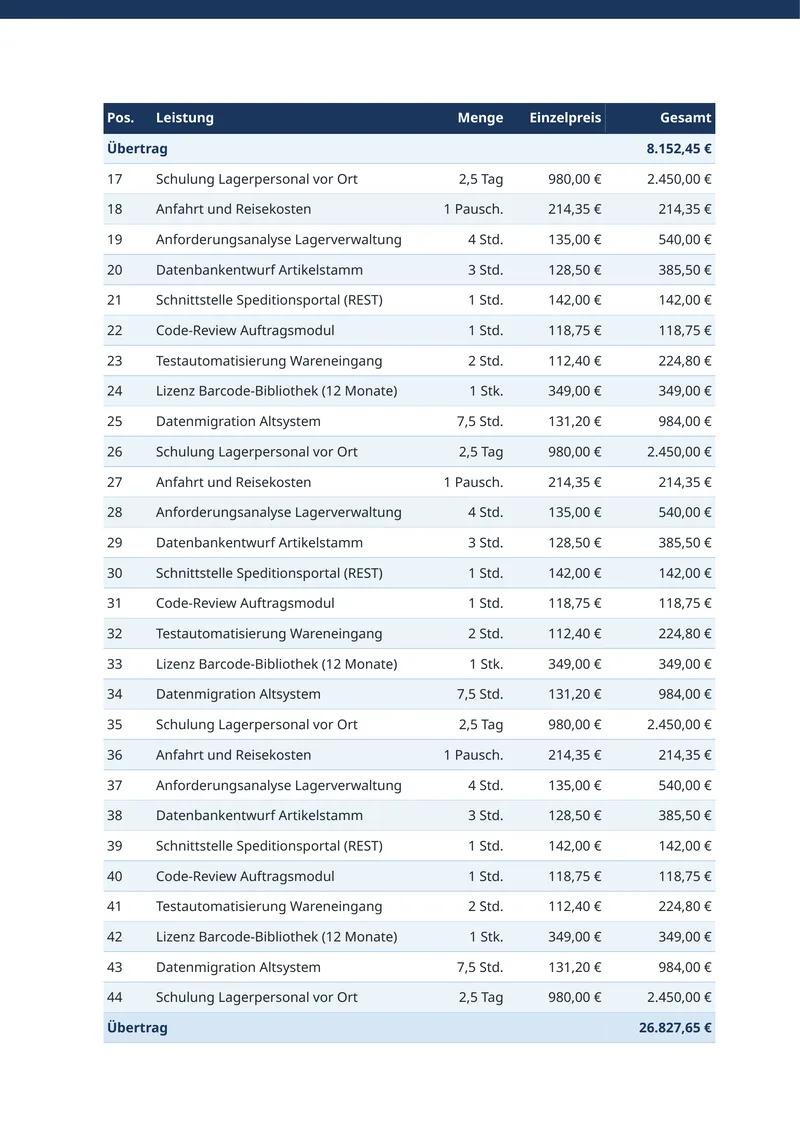
A German invoice on A4, with 70 positions on 4 pages. Where the table breaks, the running total prints at the bottom of the page and again at the top of the next.

The template asks for this with two attributes. Brevier finds the page breaks, inserts the rows and adds up with exact decimal numbers.

From rechnung.html
<table class="positions" data-brevier-uebertrag="true">
<thead>
<tr><th>Pos.</th><th>Leistung</th><th class="num">Menge</th><th class="num">Einzelpreis</th><th class="num" data-brevier-carry="true">Gesamt</th></tr>
</thead>

Features shown: Übertrag - Running totals, Tables that span pages
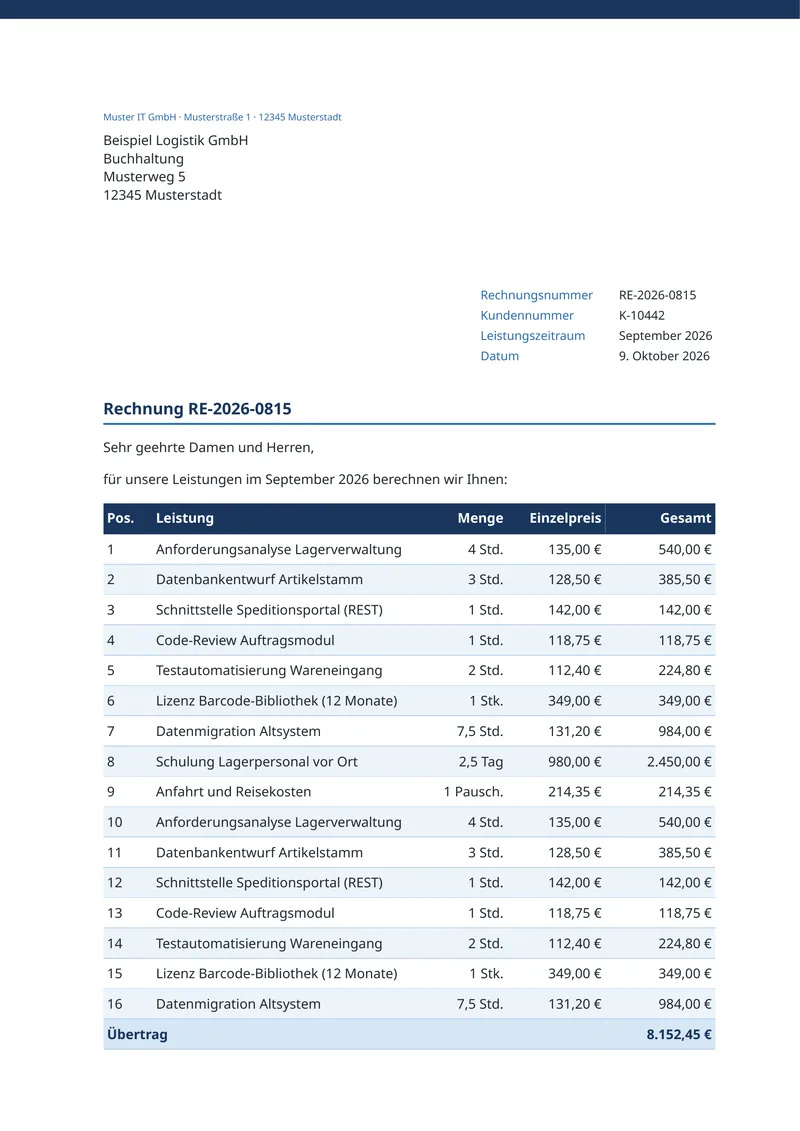
Page 1: Übertrag 8.152,45 € closes the table.
Page 2: the same sum opens the table again.

Account statement, imported from JasperReports

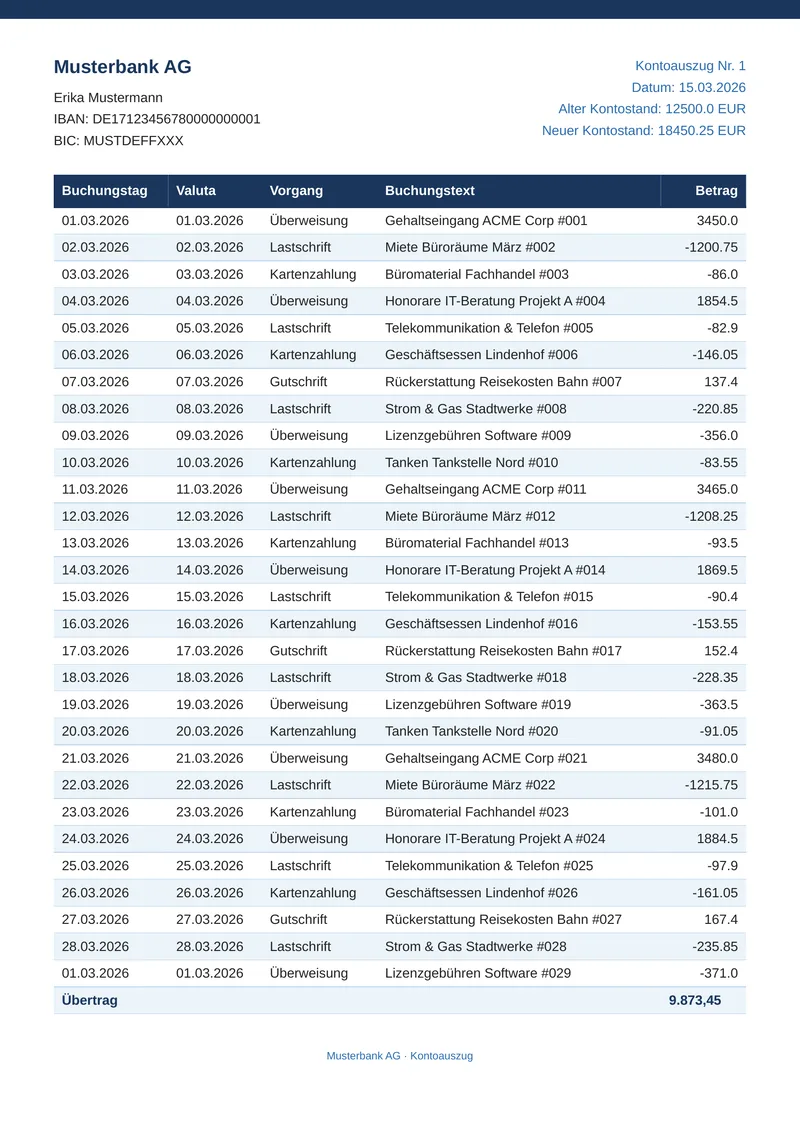
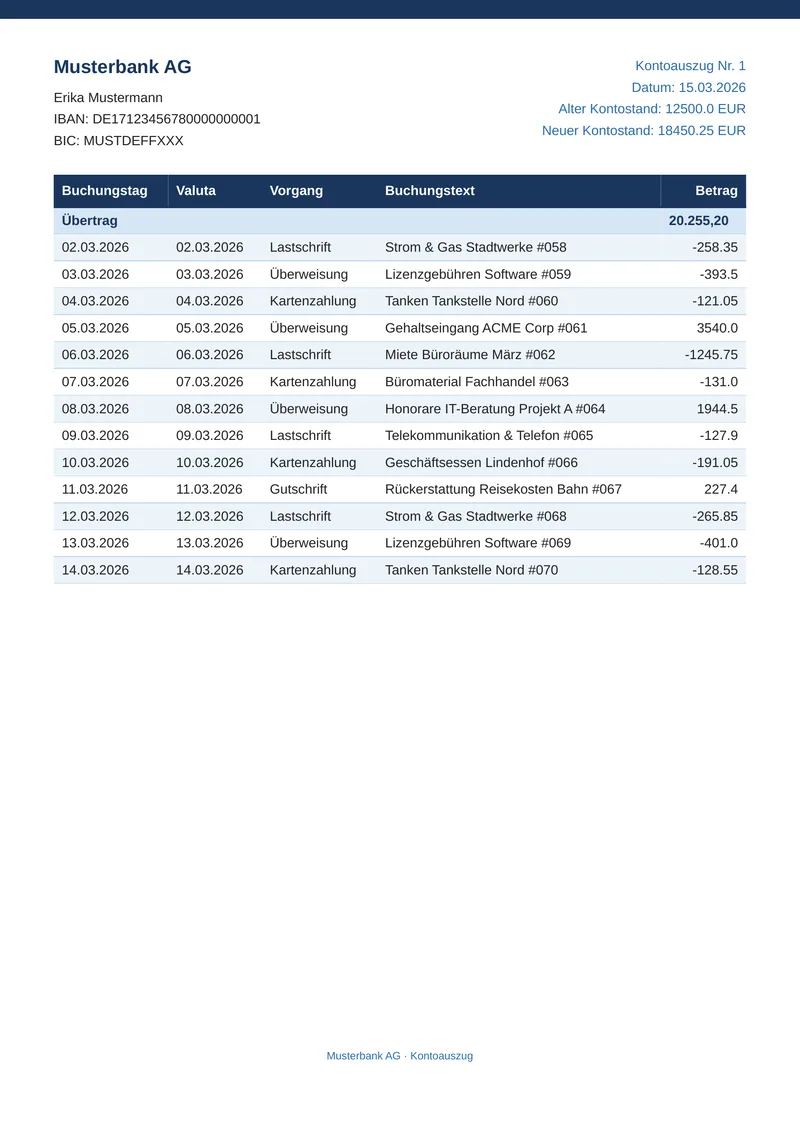
A bank statement of 70 bookings on 3 pages. The template began as a JasperReports .jrxml file. Brevier wrote the HTML, the CSS and the JSON Schema from it.

Each parameter became a tag with its name. The detail band became a loop over rows, as the excerpt shows. The table has the attribute data-brevier-uebertrag, so the running total moves to the next page.

Imported from the JasperReports file kontoauszug.jrxml.

Import command
brevier import kontoauszug.jrxml -o templates/kontoauszug
From kontoauszug.html
<table class="report-table" data-brevier-uebertrag="true">
{{#each rows}}
<tr><td>{{buchungstag}}</td><td>{{valuta}}</td><td>{{vorgang}}</td><td>{{buchungstext}}</td><td class="amount">{{betrag}}</td></tr>

Features shown: Import JasperReports and BIRT, Replace your render call, Übertrag - Running totals

Page 1: the page header, and Übertrag 9.873,45 € closes the table.
Page 3: the same header and table head, and Übertrag 20.255,20 € opens the table.

The call before and after

A service that fills a JasperReports report calls Jasper or a JasperReports Server to make the PDF. With Brevier the same service makes one call, and the PDF has the same text. The code is from an example that Brevier's own tests run.

Language of the call
// Before: JasperReports
try (InputStream stream = Files.newInputStream(Paths.get("kontoauszug", "java", "before-jasper", "kontoauszug.jrxml"))) {
    JasperReport report = JasperCompileManager.compileReport(stream);
    JasperPrint print = JasperFillManager.fillReport(report, params, new JRBeanCollectionDataSource(buchungen));
    return JasperExportManager.exportReportToPdf(print);
}

// After: Brevier
return Brevier.template("kontoauszug").render(konto, kunde, buchungen);

Add the client

Gradle
implementation 'dev.brevier:brevier'
Maven
<artifactId>brevier</artifactId>
# Before: pyreportjasper
report = PyReportJasper()
report.config(
    str(JRXML),
    str(output),
    ["pdf"],
    parameters=_parameters(konto, kunde),
    db_connection=source,
)
report.process_report()
return output.with_suffix(".pdf").read_bytes()

# After: Brevier
return brevier.template("kontoauszug", templates=TEMPLATES).render(konto, kunde, buchungen)

Add the client

pip
pip install brevier
// Before: JasperReports Server
const started = await fetch(`${server.baseUrl}/rest_v2/reportExecutions`, {
    method: "POST",
    headers: { ...headers, "Content-Type": "application/json", Accept: "application/json" },
    body: JSON.stringify({
        reportUnitUri: "/reports/kontoauszug",
        async: false,
        outputFormat: "pdf",
        parameters: { reportParameter: reportParameters(konto, kunde, buchungen) },
    }),
});

// After: Brevier
return await Brevier.template("kontoauszug").render({ konto, kunde, buchungen });

Add the client

npm
npm install brevier
// Before: JasperReports Server
var request = new
{
    reportUnitUri = "/reports/kontoauszug",
    @async = false,
    outputFormat = "pdf",
    parameters = new { reportParameter = ReportParameters(konto, kunde, buchungen) },
};
using HttpResponseMessage started =
    await client.PostAsJsonAsync($"{root}/rest_v2/reportExecutions", request);

// After: Brevier
return Brevier.Template("kontoauszug").Render(konto, kunde, buchungen);

Add the client

.NET CLI
dotnet add package Brevier

Insurance letter with fine print

A DIN 5008 letter, with the new terms attached in two narrow columns of small print. Long compound words like Obliegenheitsverletzung need many hyphens there.

German typesetting allows at most 3 hyphenated lines in a row, and no hyphen before a page break. Without help, this letter breaks both rules. Brevier finds those lines after layout and sets them again. The template only says that the text is German.

From versicherungsbrief.css
.columns {
  columns: 2;
  column-gap: 8mm;
  font-size: 9.65pt;
  line-height: 1.3;
}

Features shown: German and English hyphenation

Page 1: the letter, then the terms. The last line before the page break ends without a hyphen.
Page 2: never more than 3 hyphenated lines in a row.

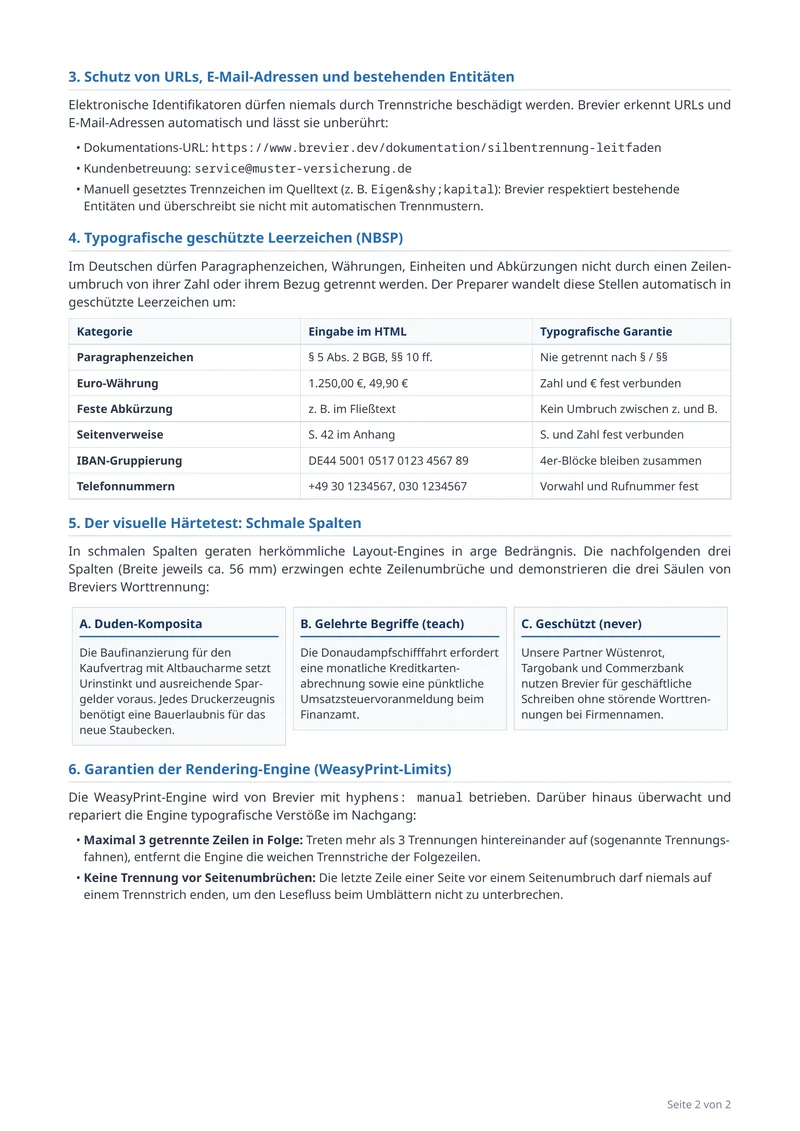
Hyphenation reference

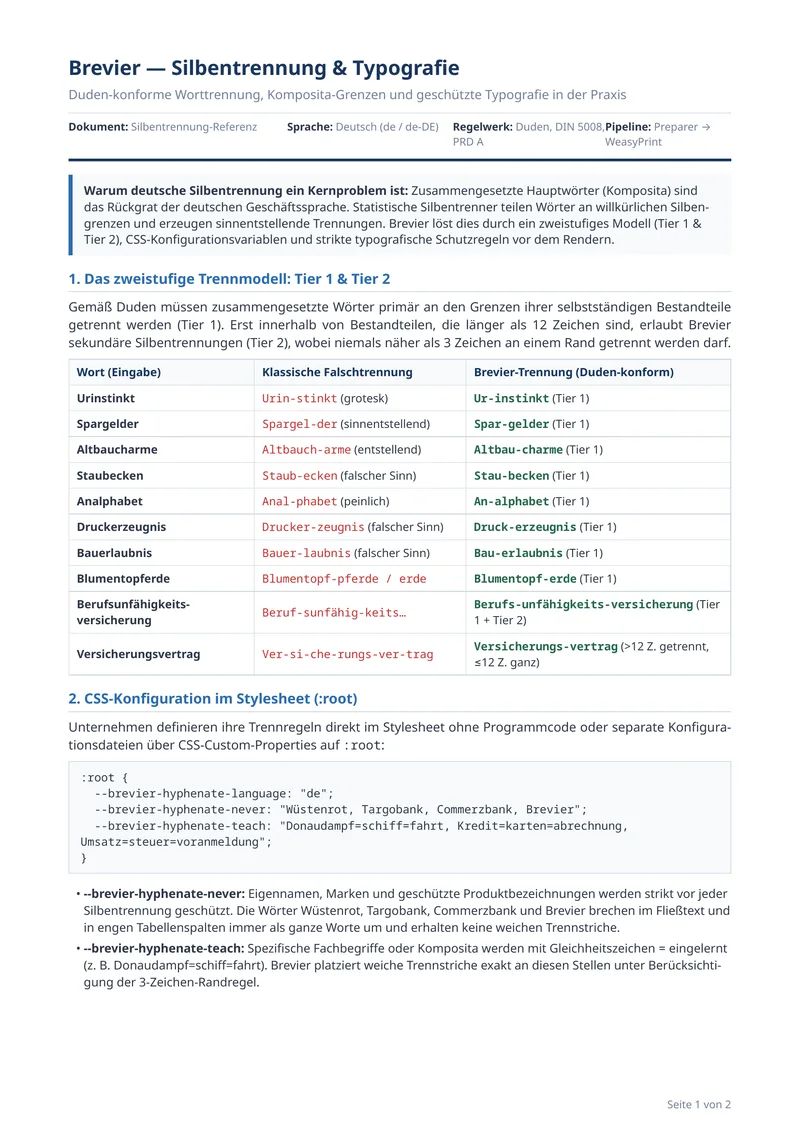
A German reference sheet of 2 pages. It shows how compound words break at their joins, how you teach Brevier your own words, and how brand names and web addresses stay whole.

Two lines of CSS on :root set the language and the breaks you teach. A third line lists the words that never break. Narrow columns on page 2 show the result.

From silbentrennung.css
--brevier-hyphenate-language: "de";
--brevier-hyphenate-teach: "Donaudampf=schiff=fahrt, Kredit=karten=abrechnung, Umsatz=steuer=voranmeldung";

Features shown: German and English hyphenation

Page 1: wrong breaks next to the breaks Brevier makes, then the CSS settings.
Page 2: protected web addresses, non-breaking spaces and the narrow columns.

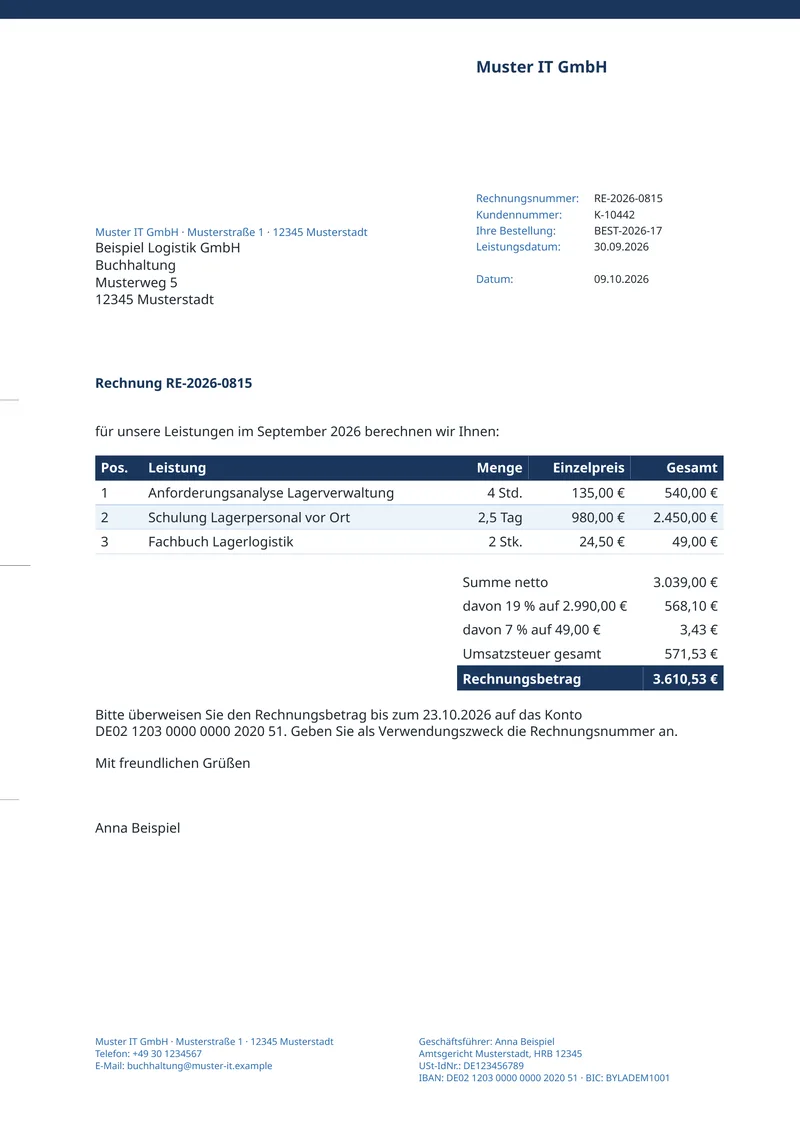
Invoice with Factur-X (ZUGFeRD)

A German invoice on A4 with 3 positions at 19 % and 7 % VAT. The PDF also holds the invoice as data, in the file factur-x.xml, so the software of the buyer can book it without typing.

The page and the XML come from the same JSON. With --einvoice, Brevier checks that the amounts add up before it writes the file. The PDF is PDF/A-3b.

From sample.json
"lineNet": 3039.00,
"tax": 571.53,
"gross": 3610.53,

Features shown: ZUGFeRD and Factur-X e-invoices, PDF/A-3b for archiving, DIN 5008 letters and invoices

Page 1: the invoice, gross 3.610,53 €. The XML sits inside the PDF.

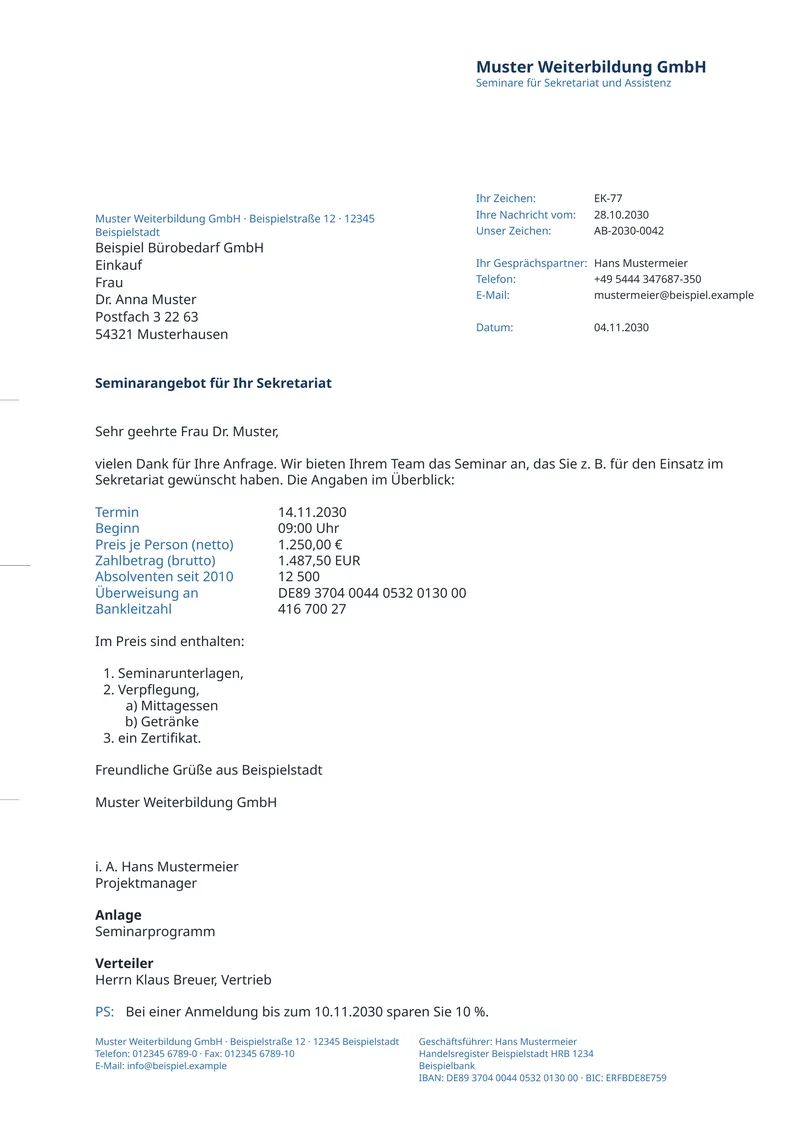
Business letter, DIN 5008 Form B

A German business letter on A4 for a window envelope. The address, the information block, the fold marks and the footer sit where DIN 5008 puts them.

You give raw values. Brevier writes each one the DIN way: the phone number +49 (0)5444 347687-350 prints as +49 5444 347687-350, and the IBAN prints in groups of four.

From sample.json
"telefon": "+49 (0)5444 347687-350",
"iban": "de89370400440532013000",
"bic": "erfbde8e759"

Features shown: DIN 5008 letters and invoices, Money, date and number formats, Validate HTML templates against a JSON schema

Page 1: the address in the window, the information block, and the footer with IBAN and BIC.

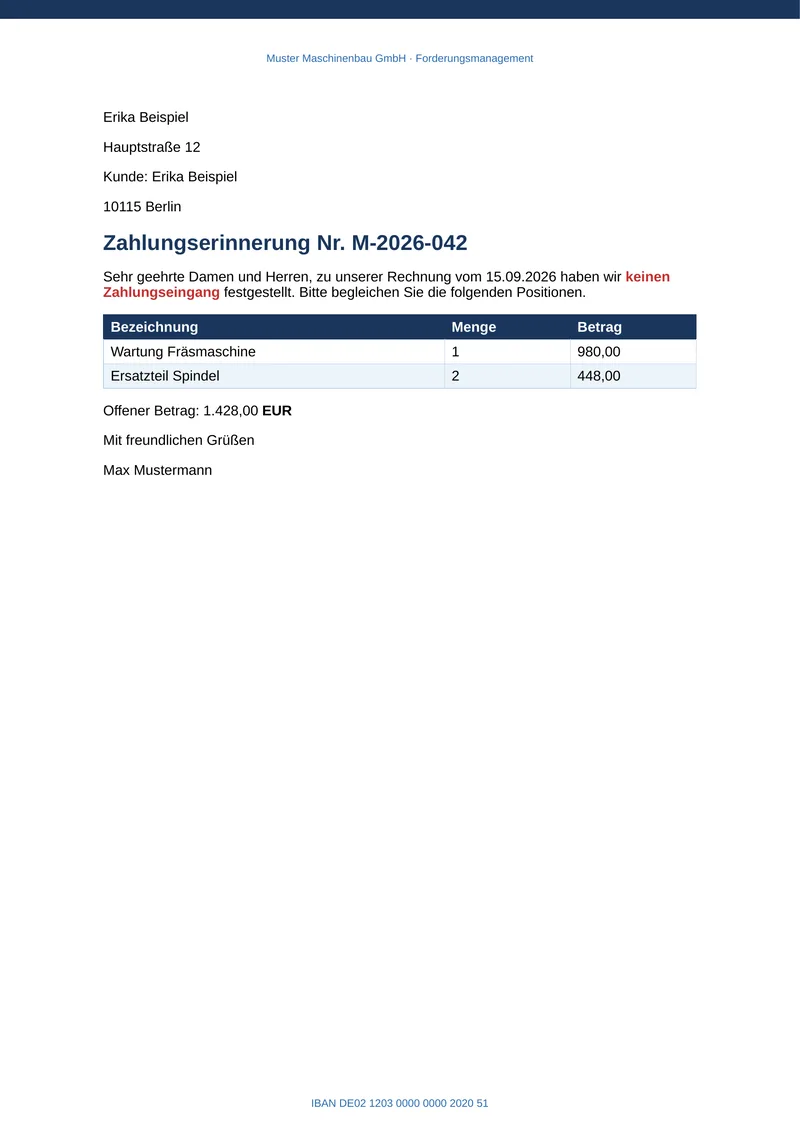
Payment reminder, imported from Word

A German payment reminder (Mahnung) of 1 page, with a table of 2 positions. The template began as a Word file with merge fields. Brevier wrote the HTML, the CSS and the JSON Schema from it.

Each merge field became a tag in double braces, and the table row inside the loop became an each block, as the excerpt shows. The Word header and footer became the running header and footer. The files were edited by hand after the import.

Imported from the Word file mahnung.docx.

Import command
brevier import mahnung.docx -o templates/mahnung
From mahnung.html
<h1 class="Heading1">Zahlungserinnerung Nr. {{ mahnung.nummer }}</h1>
{{#each mahnung.posten}}<tr><td><p>{{ bezeichnung }}</p></td><td><p>{{ menge }}</p></td><td><p>{{ betrag }}</p></td></tr>{{/each}}

Features shown: Import Word, Replace your render call

Page 1: the letter. The Word header and footer are on the page.

The call before and after

A service that fills a Word file with merge fields calls a library to make the PDF. With Brevier the same service makes one call. The code is from an example that Brevier's own tests run.

Language of the call
// Before: XDocReport
try (InputStream template = Files.newInputStream(Paths.get("mahnung", "mahnung.docx"))) {
    IXDocReport report = XDocReportRegistry.getRegistry()
        .loadReport(template, TemplateEngineKind.Velocity);
    IContext context = report.createContext();
    context.putMap(data);
    ByteArrayOutputStream pdf = new ByteArrayOutputStream();
    Options options = Options.getTo(ConverterTypeTo.PDF).via(ConverterTypeVia.XWPF);
    report.convert(context, options, pdf);
    return pdf.toByteArray();
}

// After: Brevier
return Brevier.template("mahnung").render(mahnung, kunde);

Add the client

Gradle
implementation 'dev.brevier:brevier'
Maven
<artifactId>brevier</artifactId>
# Before: docxtpl
doc = DocxTemplate(TEMPLATE)
context = {"kunde": kunde, "mahnung": mahnung}
doc.render(context)
stream = BytesIO()
doc.save(stream)
return stream.getvalue()

# After: Brevier
return brevier.template("mahnung", templates=TEMPLATES).render(mahnung, kunde)

Add the client

pip
pip install brevier
// Before: docxtemplater
const content = fs.readFileSync(TEMPLATE_PATH);
const zip = new PizZip(content);
const doc = new Docxtemplater(zip, { paragraphLoop: true, linebreaks: true, parser });
const data = { kunde, mahnung };
doc.render(data);
return doc.getZip().generate({ type: "nodebuffer", compression: "DEFLATE" });

// After: Brevier
return await Brevier.template("mahnung").render({ kunde, mahnung });

Add the client

npm
npm install brevier
// Before: DocxTemplater
byte[] content = File.ReadAllBytes(TemplatePath);
using var inputStream = new MemoryStream(content);
using var template = new DocxTemplate(inputStream);
template.BindModel("kunde", kunde);
template.BindModel("mahnung", mahnung);

using var outputStream = new MemoryStream();
template.Save(outputStream);
return outputStream.ToArray();

// After: Brevier
return Brevier.Template("mahnung").Render(mahnung, kunde);

Add the client

.NET CLI
dotnet add package Brevier